¶ PBC Pro user and feature guide
Work in progress
The PBC Pro is a fully featured piece of hardware with a suite of software that provides the full experience.
The aim of TS controllers products is to be plug and play with little to no user configuration needed. This guide gives an overview of the advanced features to get the most of the of the controller.
Changeable handle guide
¶ Compatibility
The PBC Pro works natively with:
- Dovetail Games Train Simulator World 5/6/7 (Steam, Epic or Xbox for Windows versions)
- Dovetail Games Train Simulator Classic
The Controller is compatible with other sims that accept Joystick input such as:
- SubwaySim2
- City Transport Simulator
More games to be added when compatibility is known.
¶ Notch stoppers
The PBC Pro is supplied with 2 notch stoppers. These can be stored in the included holster, which is provided with double sided tape to attach it to the rear or side of your PBC.
The software now tells you which notch stopper you should be using, after loading into a scenario (TSW only).
- Notch stopper 1 limits the travel from 7 power notches to 4 power notches in mode 1. This is useful when driving an Electrostar vs a Turbostar.
Examples:
-Electrostars (Class 378, 375, 387 etc, have only 4 power) .
-Also trains such as UK class 323, 319, 317, also have 4 notches of power. so you would use he notch stopper when driving these units. - Notch stopper 2 limits the mode 2 to power notches from 5 to 4.
Examples of this:
-Desiro (Class 185, 350, 444, 450,) is 5 notch.
-IET (Class 800, 801, 802, 805, 807) are 4 notch.
So you would use the notch stopper when driving an IET.
¶ Rear connections
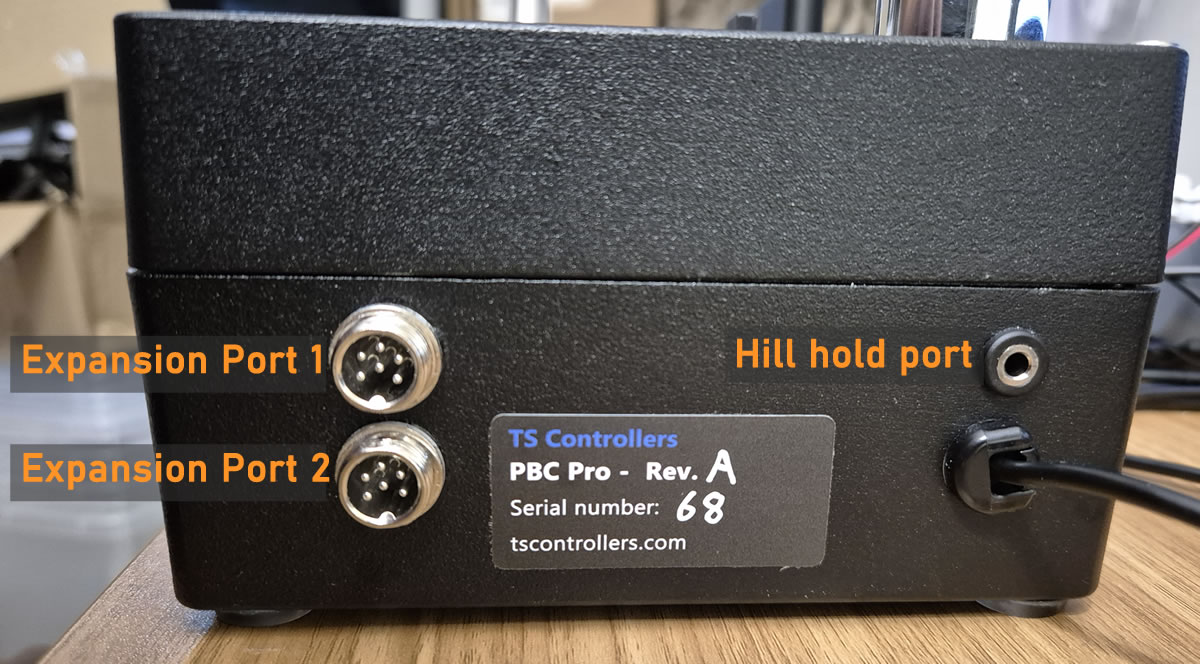
USB Connection to PC.
Hill hold port - for use with Networker handle with wired Hill hold
Expansion port 1 - for future use.
Expansion port 2 - for future use.
¶ Switchable notch modes
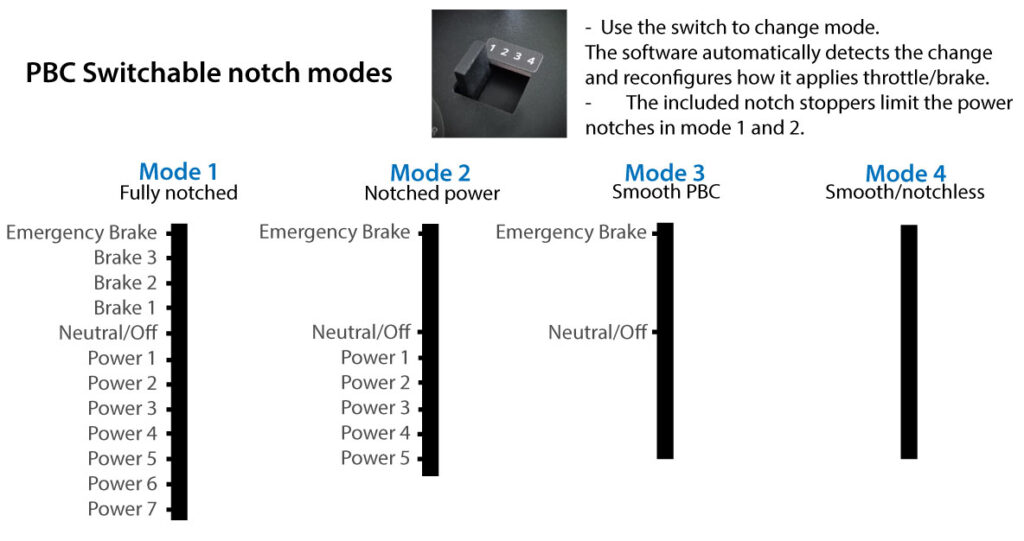
The PBC Pro has 4 physical notch modes to emulate the real thing as closely as possible. The software recognises which notch mode you are in, and automatically configs the software to match the train you are driving, so the notches match up with the game correctly.
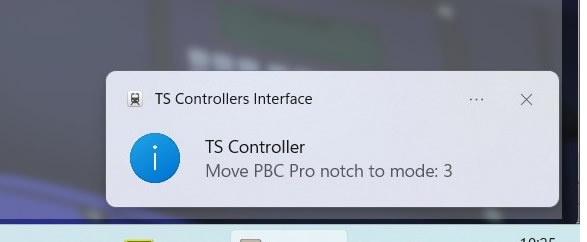
When using the PBC Pro in Train Sim World 5/6+, the TS Controllers software informs the user which of the 4 notch modes the PBC Pro should be set to. It does this two ways:
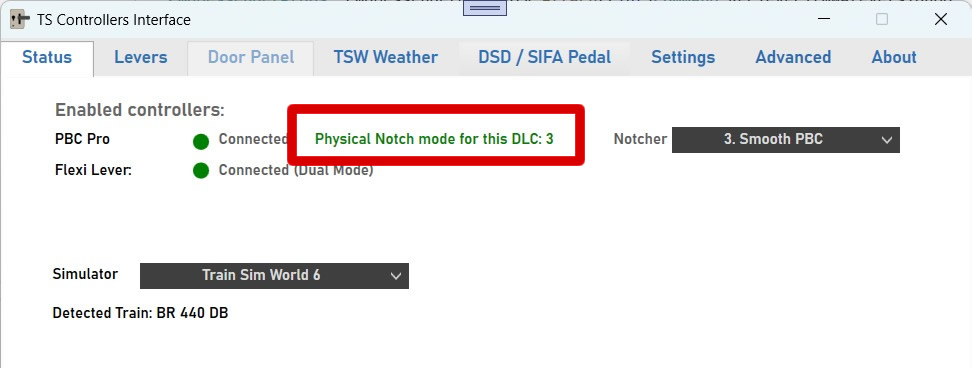
The above text will be coloured red if the PBC Pro is in the wrong notch mode.
As above shown in the app, but also a Windows pop-up is shown when that train is first loaded into Train Sim World.
¶ Configurable button / PBC options
The PBC Pro features a user configurable button. This can be easily set to perform a wide range of functions.
You can find the settings for this in the PBC Config page.
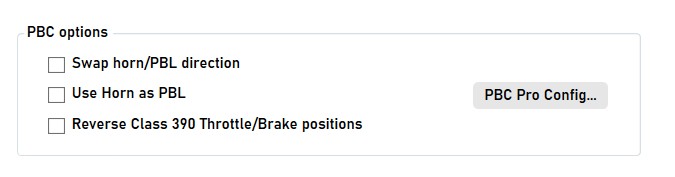
There are 3 extra PBC controller options (PBC v1 and PBC Pro) available on the Main tab. The following settings are TSW / TS Classic compatible.
- Swap horn / PBL direction - This reverses the direction of the horn/ PBL brake lever as it can differ between trains
- Use horn as PBL - Use the horn lever as a PBL brake, as found in the UK Class 66/67 and some TGV rolling stock.
- Reverse Class 390 Throttle/Brake Positions - This feature is used when driving the UK Class 390, meaning you can physically turn around your PBC/PBC Pro, which means the throttle and brake notches are now correct. Instead of the PBC's 4 brake and 7 power notches, you now have 4 power and 7 brake notches.
¶ HID / Joystick / Game controller compatibility
The PBC Pro now shows up as a standard game controller in Windows, or other OS's. (Firmware version 8 or later required)
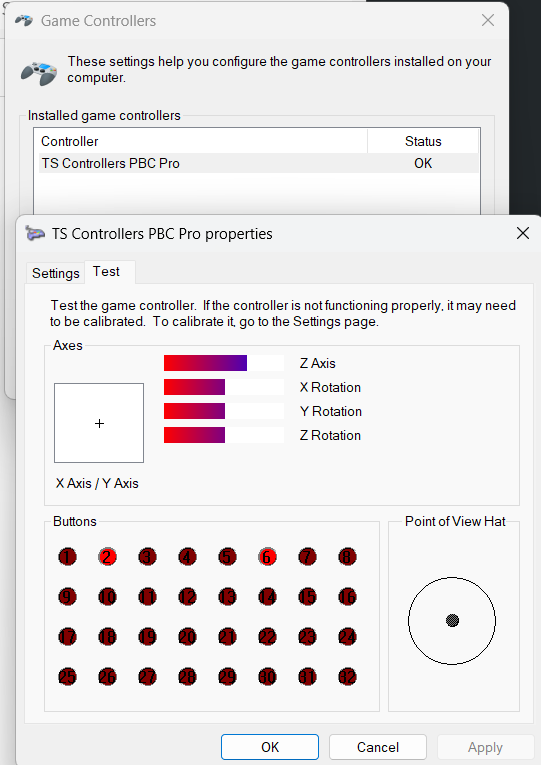

Controls available
Z-Axis - PBC lever.
Button 1 - Assignable button.
Button 2 - Reverser Off
Button 3 - Reverser For
Button 4 - Reverser Neu
Button 5 - Reverser Rev
Button 6 - Master key off
Button 7 - Master key on
Button 8 - Horn Down
Button 9 - Horn Up
Button 9 - Hill hold button on Networker Handle
¶ Calibration
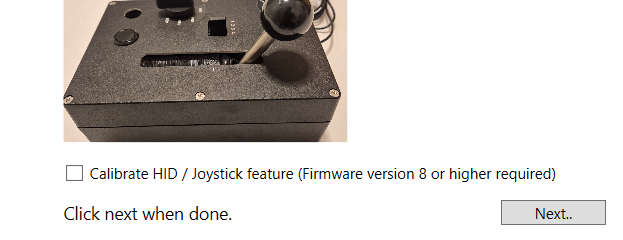
This function requires calibration before it can work correctly. It is possible to calibrate without using any software, but the recommended method is calibration using the same process as the Normal PBC calibration.
There is a tickbox on the first step of the PBC Pro calibration window which also calibrates and saves the calibration onto the controller hardware.